Walk-ins in two taps
Sell 1, 2 or 3 hours at your own prices, or open time billed in 30-minute blocks after the first hour. Extend by 30 minutes any time.
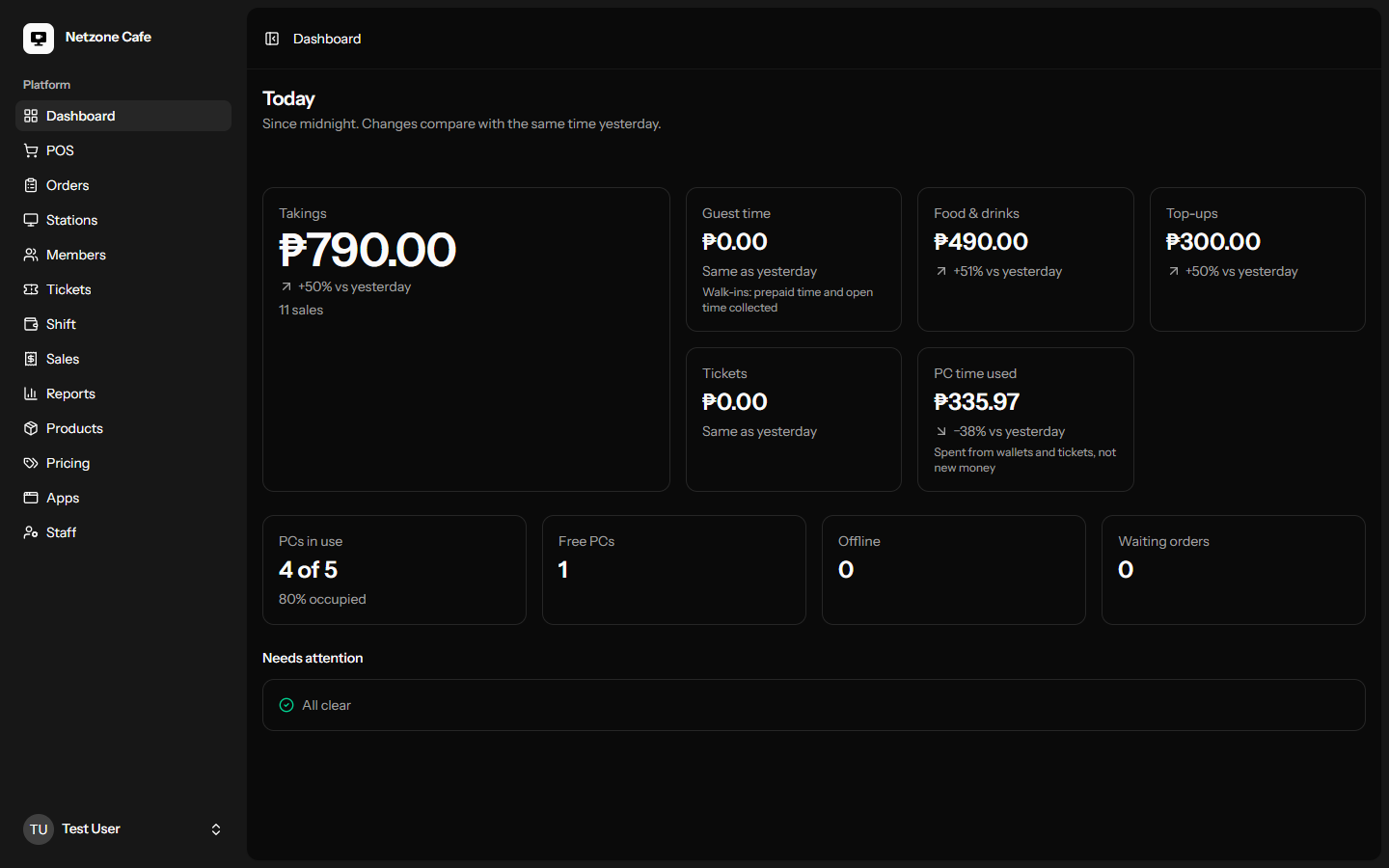
Lock every PC, bill members by the minute, sell walk-in time, run the counter, and see what your shop makes. One server in your shop runs it all, and keeps running when the internet doesn't.
No credit card. Windows 10/11 PCs. Set up in an afternoon.
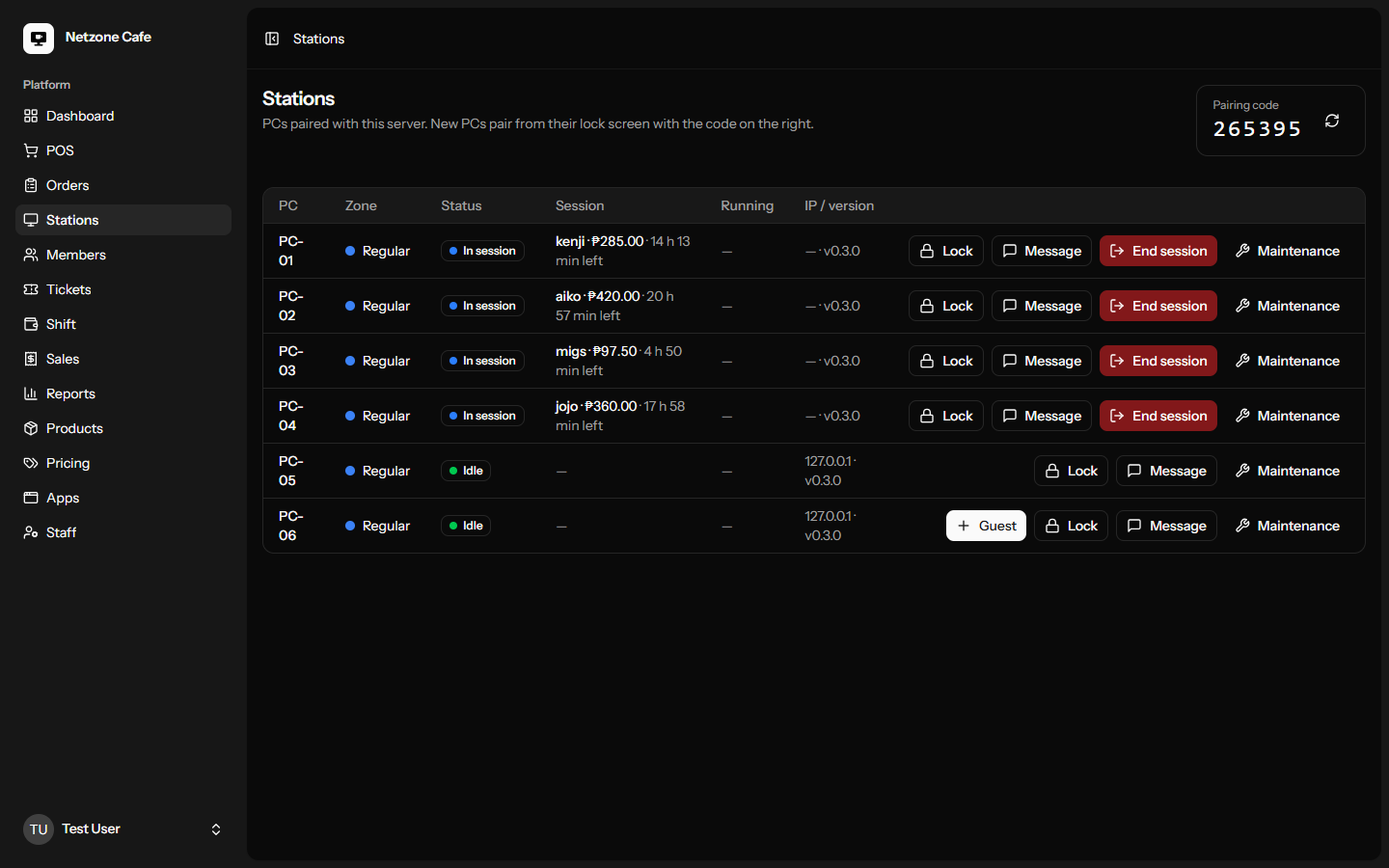
The jobs you do a hundred times a night take one or two taps, and the numbers add up at closing time.
Sell 1, 2 or 3 hours at your own prices, or open time billed in 30-minute blocks after the first hour. Extend by 30 minutes any time.
Top up at the counter, log in on any PC with a password or a quick PIN, and pay only for the minutes played. Give regulars their own rate.
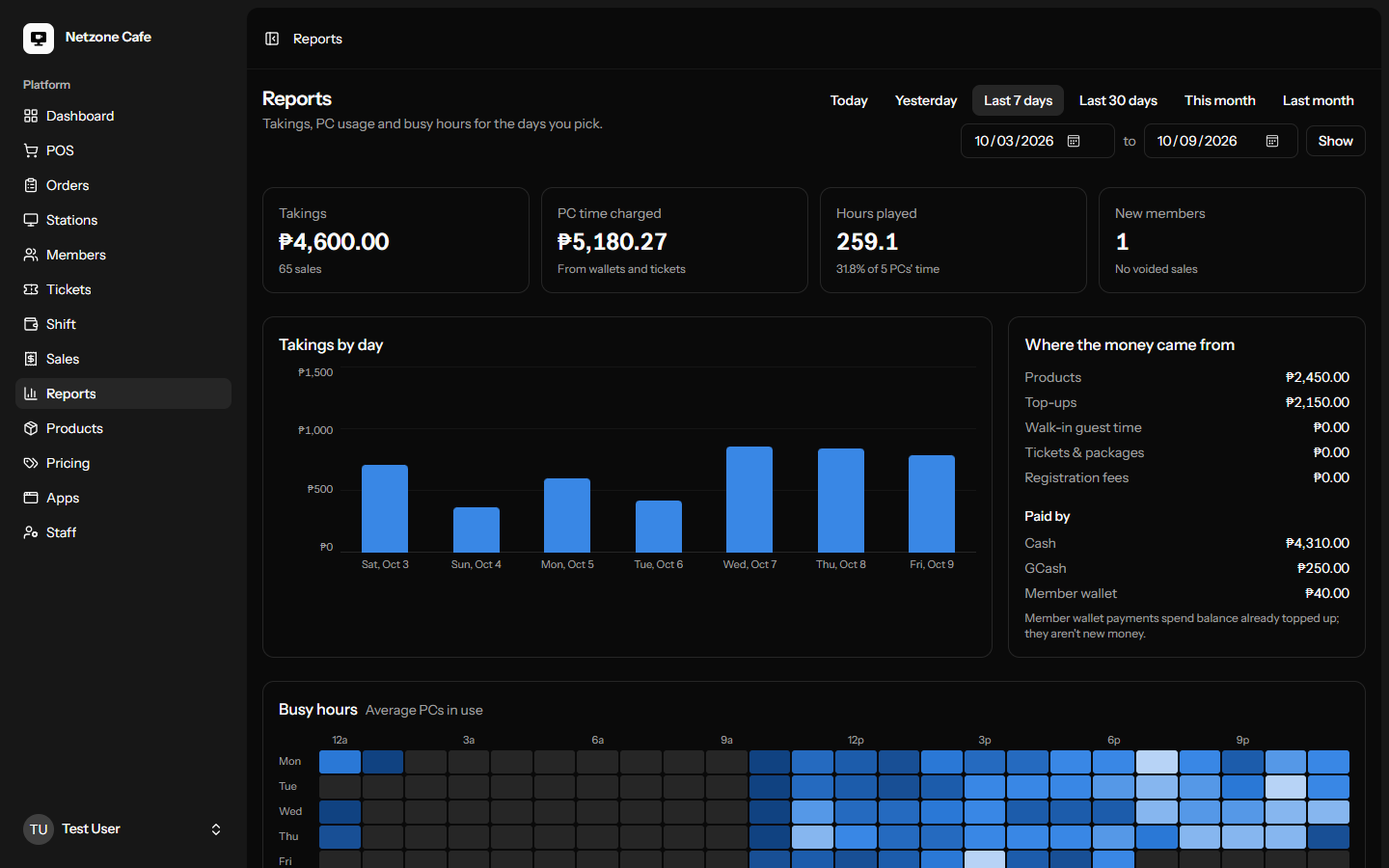
Takings by day and by payment method, PC time used, your busiest hours and best sellers. Export any table to Excel.
When time runs out the PC locks, but the game stays open for a few minutes. Extend or top up and pick up exactly where they left off.
Your games and apps as big banner tiles, full screen. CafeOS suggests the banner art by name; players launch with a click.
Sell snacks, top-ups, tickets and PC time in one cart. Open and close shifts with a cash count, track stock, and take food orders straight from the PCs.
CafeOS puts a small server on your counter PC. Every customer PC talks to it over your LAN, so logins, timers and payments are instant and don't depend on your internet provider.
Customer PCs run CafeOS full screen: no desktop, no Task Manager, no way around the timer.
If a PC goes offline it keeps time and reports it when it's back; a PC that's off isn't billed.
Your logo, colors and wallpaper on every lock screen.
Create your account and add your shop. Your 14-day trial starts with an activation code.
Create accountRun the installer on your counter PC and follow the setup: shop name, prices, activation.
Install guideInstall the client on each PC. It finds your server and pairs with a 6-digit code.
Pairing guideOne Windows 10 or 11 PC for the server (your counter PC is fine) and Windows 10 or 11 on every customer PC, all on the same network. Internet is only needed to activate and renew your license.
Nothing changes in the shop. Everything runs on your network. Your license keeps working offline for weeks and renews when you're back online.
From ₱99.00 per PC per month, after a free 14-day trial. See Pricing for the plans.
Yes. Members and balances can be added in CafeOS; talk to us and we'll help you switch on a quiet day.
The installers set everything up, and the docs walk you through it. If you'd rather we did it, book a demo and ask.
Try every feature free for 14 days on all your PCs.